

Webcams are pretty much a day-to-day necessity for businesses and for your online personal use. They allow you to connect to others via live stream without having to be there in person. There are many different webcam options and resolutions available with many different price ranges depending on your specific needs for your desktop or laptop.
You need to purchase one that fits your needs and delivers what you are expecting. You need to find one that will work with the software that you are using or plan to use. You also need to consider the image quality, audio quality, compatibility, features, and how the webcam is secured or mounted.
Customer reviews are also an excellent place to look for compatibility problems, performance, and many other pros and cons of each device.
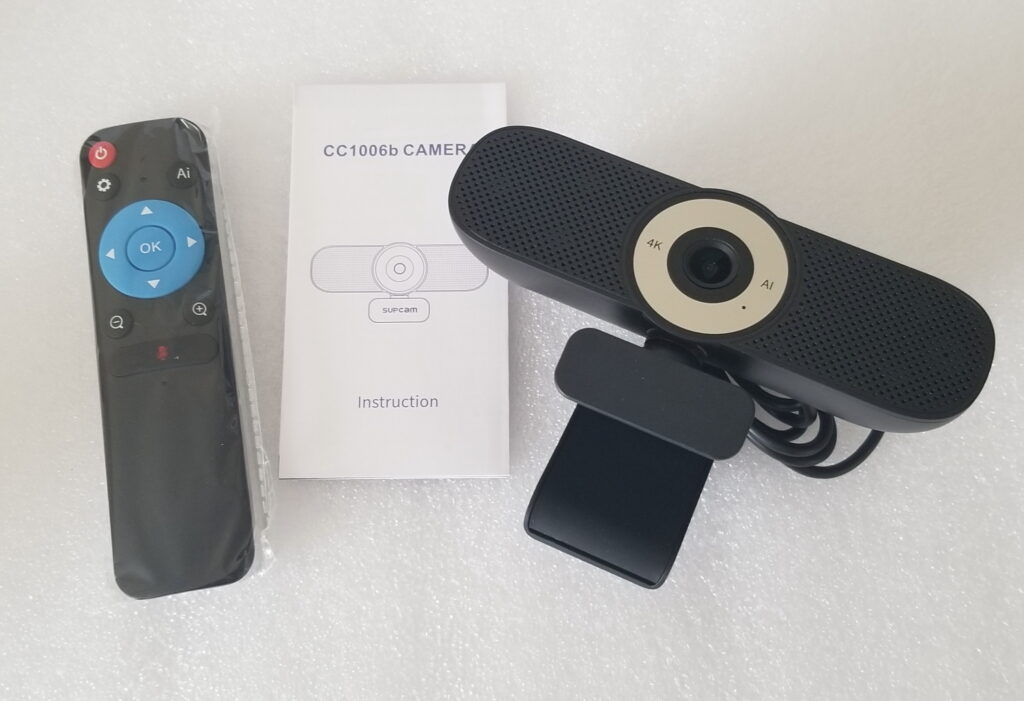
We are reviewing the SUPCAM 4K UHD EPTZ Webcam that can be found on Amazon and many other websites. The webcam offers High-Quality 4K Ultra HD Resolution with a streaming resolution of up to 3840×2160 pixels at a fantastic price. You can easily attach this webcam to your desktop or laptop with a USB cable, and hassle-free with the plug-and-play setup. Plus, you do not need to install any drivers.
With this webcam, we found the best quality was at 1080P with around 60-70fps, all depending on your PC setup and video GPU. The two built-in microphones delivered excellent voice quality without any static or background noise.
The video is crisp once you get the AI working correctly, or you can adjust it manually for the quality and picture you want. The wide-angle lens can allow you to capture a larger field of view for meetings with more participants or if you need to capture more of your surroundings. We noticed that the video quality struggled a bit in low-light situations.
The webcam also comes with an external privacy cover. With the lid attached, you can easily place it on the webcam, and it will block any unwanted users from accessing any live video feed.
The webcam comes with an adjustable clip for quickly mounting it to your monitor or laptop, or there is a tripod mount if you need a different webcam placement option.
The webcam works with most popular video software, including but not limited to, such as Zoom, Google Hangouts, and Microsoft Teams.
Features:
- 4K streaming up to 3840×2160 pixels (1080P is best)
- You can record extremely clear and high-quality videos (depending on your PC setup)
- Built-in microphone
- AI-Auto Framing
- 3X Digital Zoom
- EPTZ Remote Control
- External Privacy Cover
Other options:
USB C Webcam,4K Web cam with Microphone
Nisheng 4K Autofocus Web Camera
GUSGU 2K QHD Webcam with Sony Sensor

