

Hello everyone. Today, we are looking at the SteelSeries Arctis GameBuds. I am currently using a SteelSeries headset, which I love, so hopefully these earbuds impress me as much as the headset. I was looking for an alternative to a bulky gaming headset, and I only use a PC, so my main focus was on PC earbuds rather than console ones. My first impressions of the Arctis GameBuds are, well, I may have found one of the best gaming earbuds currently available that work on the PC and my phone.
Why are there two versions?
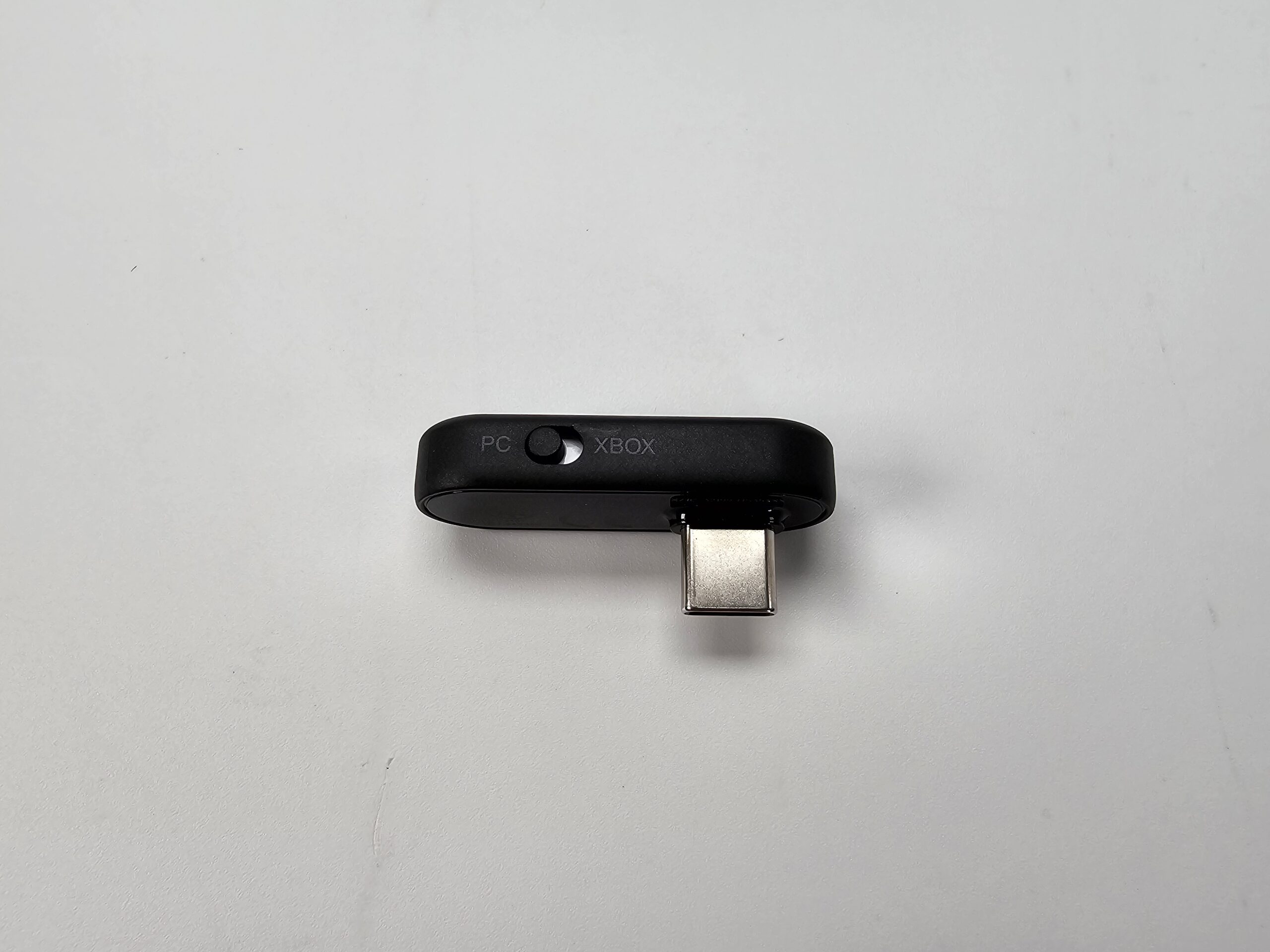
There’s an Xbox version, and then there’s just a regular one that says “for PlayStation”. If you plan to use it on Xbox, then make sure you get the Xbox option. Why? Because it still works on PlayStation, Switch, and anything USB you can plug into, including a PC. The dongle has a switch to select between the PC and the Xbox, which is cool because it lets you switch between them easily.
This is the Xbox version, so let’s take a look at everything first, see what these offer, and any pros or cons.
A brief look at the pros and cons (per some user reviews)
- Sound quality or clarity
- Muffled or unclear microphone
- Latency
Most of the criticism that I have read is about the sound clarity, muffled and/or unclear microphone, crackly and noisy sounds, and the in-game directional cues are off, such as footsteps, or there is some latency. Some complaints were about connectivity. I myself had a few issues during the initial setup. For some reason, the app could not find them when using Bluetooth on my S25 phone. So I connected them manually in the phone’s Bluetooth settings, then restarted the app, and they paired and worked fine after that.
One of the things I think is excellent about these gamebuds is that the charging case not only holds the earbuds but also stores the 2.4GHz USB-C receiver. So if you move from PC to PC, or console to PC, or wherever you go, you won’t have to keep up with dongles or extra pieces to carry around.
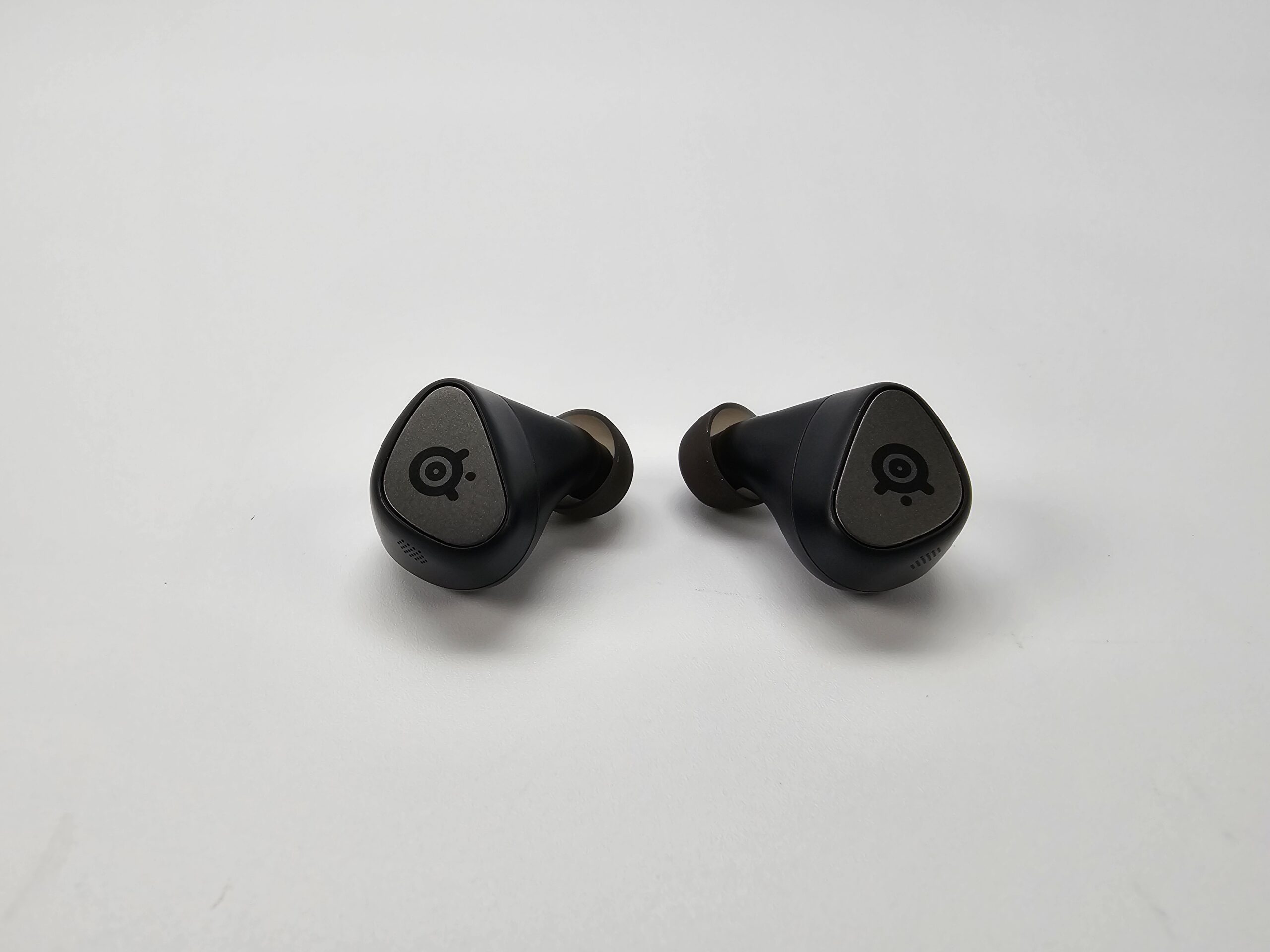
The SteelSeries Arctis GameBuds come with multiple ear tip sizes; the ones already on them, I think, are medium, and they fit me perfectly. You also have larger and smaller sizes to choose from. But they are lightweight, and the way they fit perfectly in my ear, they never fall out. They literally don’t move, and it is crazy how well they fit and how comfortable they are for extended use.
They are IP55 water- and dust-resistant, which is an excellent feature, as they can also be used with your smartphone, making them easy to use while exercising and outdoors. Note that they are suitable for sweat, light rain, and splashes, but not for submersion or high pressure.
2.4GHz Wireless and Bluetooth connectivity
But the connectivity is what sets these earbuds apart for me. With two wireless modes: the 2.4GHz Wireless connectivity with a USB-C dongle (also includes a USB-A cable for Xbox) and Bluetooth 5.3 for phones, tablets, handhelds, and more! My original gaming earbud plan didn’t include having this option, but now I can connect to my PC using 2.4GHz and use Bluetooth on my phone, which is absolutely amazing! Note that you cannot use them simultaneously; more on that later.
Switching between them seems a little weird at first, but simple once you do it a few times. You can simply triple-tap the left earbud to switch between 2.4 GHz wireless and Bluetooth. There is an audible letting you know which mode you are in. Which is super easy! But that was another complaint I read, but I am not sure why it would be a con unless you want to connect to two devices simultaneously. I mean, come on, two connection modes, with just a few taps, get over it! But if your purpose is to connect simultaneously, then these are not for you!
So, on to my main purpose for these: gaming, watching videos, or the occasional movie on my PC without using my headset.
My first gaming test was ARC Raiders, my latest obsession. I can use these with absolutely no noticeable latency, maybe even none at all. But I have also been using the Nova 7 headset for a long time, so I could also be accustomed to any wireless latency or sound bugs.
I also gave them a try in a few more shooters like Battlefield 6, Gray Zone Warfare, and Call of Duty: Modern Warfare II. I am not an avid or pro player, but for me, these provided the perfect no-headset solution without compromising sound, comfort, or noticeable latency. So, at least in my testing, I didn’t notice any issues that would prevent me from using them in fast-action games.
The battery life and sound quality of the SteelSeries Arctis GameBuds
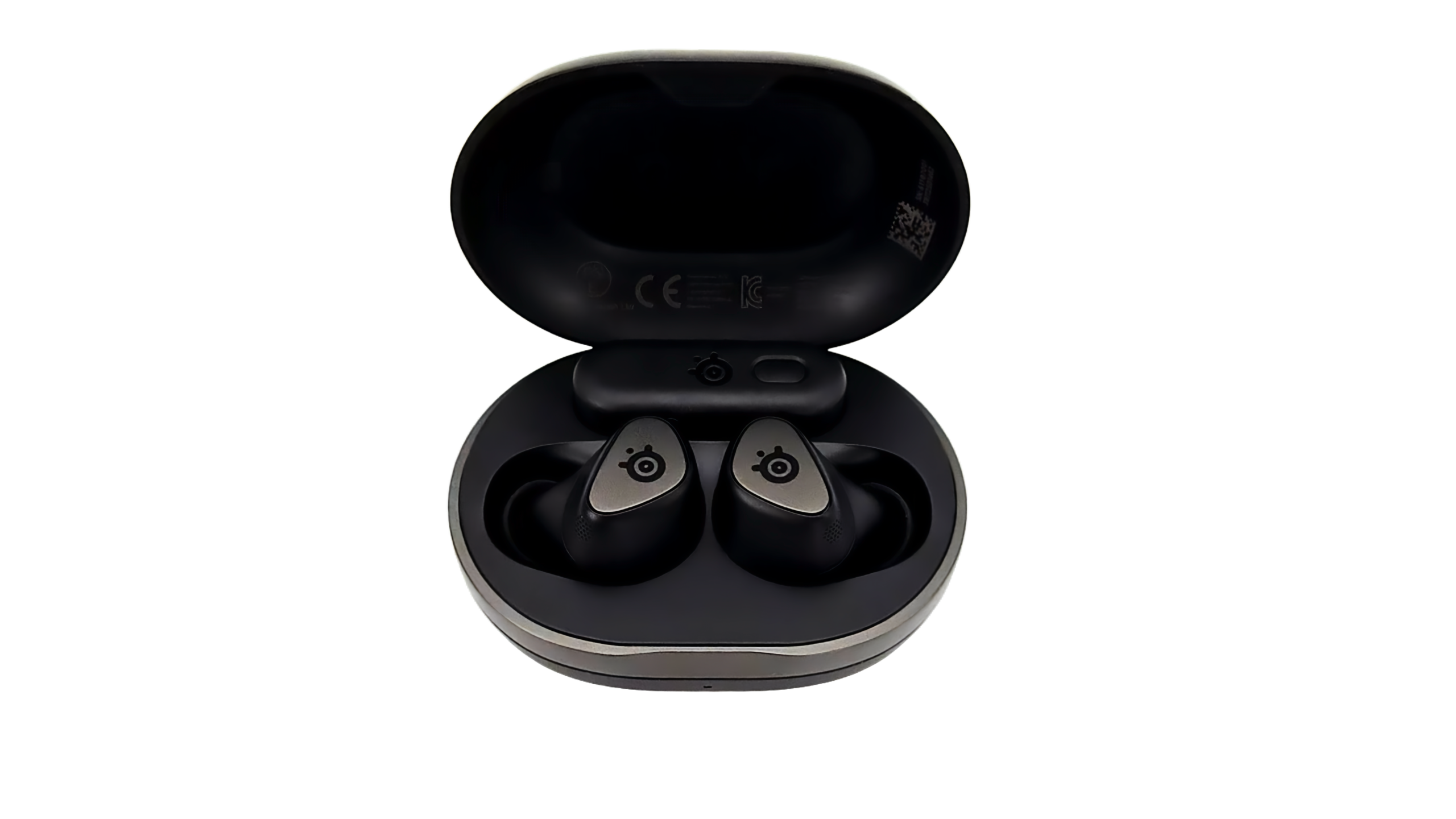
Most users will be wondering about the battery life and sound quality of these Arctis GameBuds. In my opinion, they are really, really solid in terms of battery life. I was actually able to use them for approximately 10 hours straight on a charge. That might not be enough for some users, plenty of time for others, but it works perfectly for my daily routine. Also, the Qi wireless charging case offers three full charges for up to 40 hours (10H buds plus 30H case), which is an exceptional feature for heavy users. You can conveniently charge the case via a USB-C cable and get up to three hours of usage after just 15 minutes. So you can keep using your earbuds and leave the case charging simultaneously while you’re playing.
Now, the next topic is very important to most users: the microphone and the audio quality of these earbuds.
The audio quality from the headset microphone is better than I expected. But like any earbuds’ microphone, or at least any I’ve used, the mic is never the best quality, and I expect it never will be. It’s surprisingly decent for calls and apps like Discord, but the mic won’t be anywhere near studio quality. You can also mute or change microphone modes in the SteelSeries app. So using another microphone is simple and probably the best option depending on your usage and the output quality you are looking for. The mic is decent in a quiet room, but in outdoor or noisy settings, it’s really hard for anyone on the other end to enjoy the conversation.
In my opinion, they sound surprisingly good for gaming earbuds. The overall sound profile is clean, with good clarity, quality mids, and enough bass for action games without muddying the audio experience. You can adjust the sound to your preferences in the app on your PC or phone. They come with active noise cancellation (ANC), and you can adjust all of these settings in the app. You get transparent mode when you need to hear your surroundings, plus 360-degree spatial audio for a more immersive experience.
They have EQ settings in the Arctis and Sonar mobile apps, with more than 100 game presets to choose from. So adjusting the sound is simple for gaming, videos, and movies. You can actually set sound profiles for both your phone and your PC.
Do these provide the best sound that I have ever had from any earbuds? Probably so! But for someone like me, seeking options beyond a headset, these game buds are perfect for on the go and on my PC, which is ideal for my needs.
So, after some use, what are my final thoughts on the Arctis GameBuds?
One great feature is that once you have them paired on your phone and connected to your PC via 2.4GHz, when a call comes in, it will alert you. They will automatically switch to Bluetooth if you answer the call, then return to 2.4GHz when you are done. That’s great in most cases, but note that it could happen during gameplay, so keep that in mind and turn off your phone’s Bluetooth if you do not want to be interrupted. Some reports say they are not switching back, but I have not experienced that problem.
Now, these are definitely not perfect, but with these game buds, you get almost zero latency, two connectivity options, active noise cancellation (ANC), equalizer presets with lots of game configurations through the app on the PC and the phone, a lightweight design that fits perfectly and won’t fall out, up to 10 hours of continuious use, a charging case that also holds the dongle, and a decent but not great microphone.
This is also subjective, and you have to try them for yourself. In my case, this is definitely a great pair of earbuds for my current needs. With that said, these are definitely great for entertainment or gaming, and they are an excellent replacement for your headset, which I have not used much in the last few weeks since I got these.
Unfortunately, I cannot let you hear how good they sound, but I can tell you that if you are looking for a wireless set of earbuds that not only works with your PC but also has extremely low latency and works with your phone and other devices, these might be the earbuds for you. In my case, I have used these earbuds so much that I haven’t even put on my gaming headset since purchasing them.
So if you are in the market for earbuds or want to ditch the headset, give these a try.
What’s Included:
- Arctis Gamebuds
- USB-C Wireless Nano-Dongle
- Qi Wireless Charging Case
- USB-C to USB-A adapter cable
- USB-C to USB-A Charging Cable (1ft / 0.3m)
- Silicone Eartips (Small, Medium, and Large)

