

The SteelSeries Arctis Nova Pro Omni headset is now available, with a retail price of $399.99 USD. The headset comes in a great-looking midnight blue, simple white, and graphite, all of which I think look excellent. In this review, I will be showing the graphite.
As a current user of several SteelSeries products, the SteelSeries Arctis Nova Pro Omni sparked my interest, so I decided to set aside my Arctis GameBuds for a test run with this headset. With its multi-platform hub, OmniPlay, Active Noise Cancellation (ANC), and 24-bit/96kHz audio, the SteelSeries Arctis Nova Pro Omni is the ultimate headset for PC, Xbox, and PS5 gamers. It’s pretty clear that this headset is perfect for those who want to use multiple devices simultaneously.
What I like about the Arctis Nova Pro Omni is that it is not positioned as an absolute luxury flagship; it feels more like the true successor to the Nova Pro, with many of the features that made the Arctis Nova Elite so compelling, including the brand-new microphone, a retractable boom microphone with onboard AI noise rejection, that is supposed to have a more studio-like sound, which SteelSeries refers to as ClearCast Pro. All of this at a lower price, making it more attainable for many users and a more practical and affordable headset for gamers.
The “Omni” refers to the Omni platform, which is the big selling point of this particular model. Basically, a single SKU, regardless of color, will work across all platforms. There are three USB-C ports on the back, and it works with PC, PlayStation, Xbox, Nintendo Switch, and mobile devices. It even has aux inputs on the back for connecting an analog device and a 3.5-millimeter output. What else could you ask for!
The selling point for this headset is that you can use all of your devices at once. Well, maybe not all the devices you could have, but you can connect up to 4 sources via USB1, USB2, or USB3, plus Bluetooth, simultaneously. The headset has dual USB inputs active simultaneously, which was first introduced on the more expensive Arctis Nova Elite, but this feature allows you to listen to your PlayStation, mobile device, and PC at the same time, with three USB ports and Bluetooth. You don’t have to use all that, but it is nice that it’s there, and this has been a big asking point for gamers. If you want to have multiple connections going at once, it’s extremely convenient.
Unfortunately, at $399.99 USD, the Nova Pro Omni is still undeniably expensive for most. But for those who game across multiple systems, this headset removes the constant cable swapping or the need to use multiple headsets, so it’s undoubtedly worth the price tag for those users who can afford it.
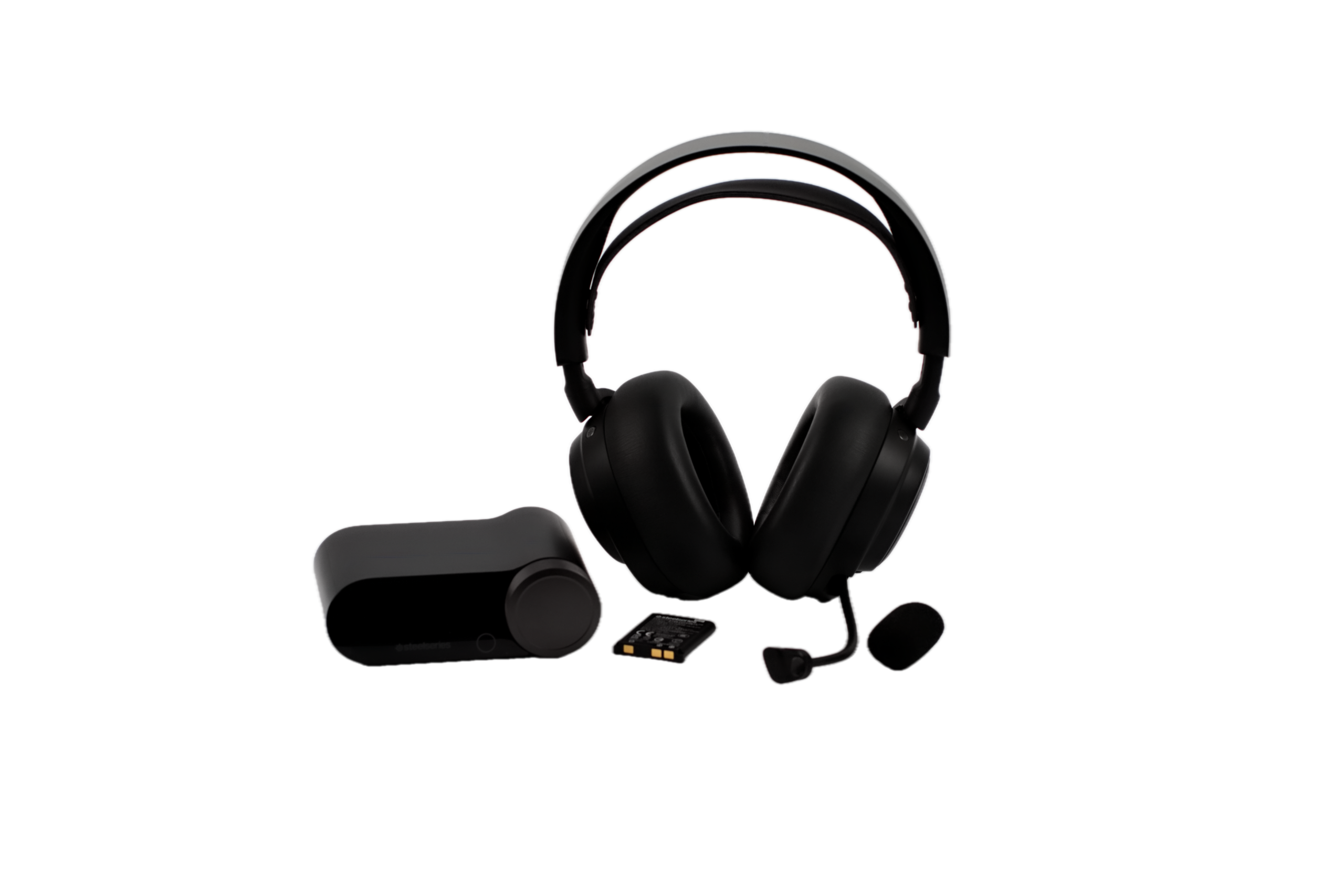
The SteelSeries Arctis Nova Pro Omni headset design
The familiar sport fabric suspension strap, soft over-ear cups, removable magnetic speaker plates, and clean, simple aesthetic remain the same as in previous versions. The suspension strap designs on SteelSeries products have a low enough profile that, when you wear them, they don’t stick out really far from your head. There is also an adjustable strap that lets you pop the band off and change the orientation to increase or adjust the clamp force. This is perfect for adjusting noise isolation, achieving a stronger seal, or increasing comfort.
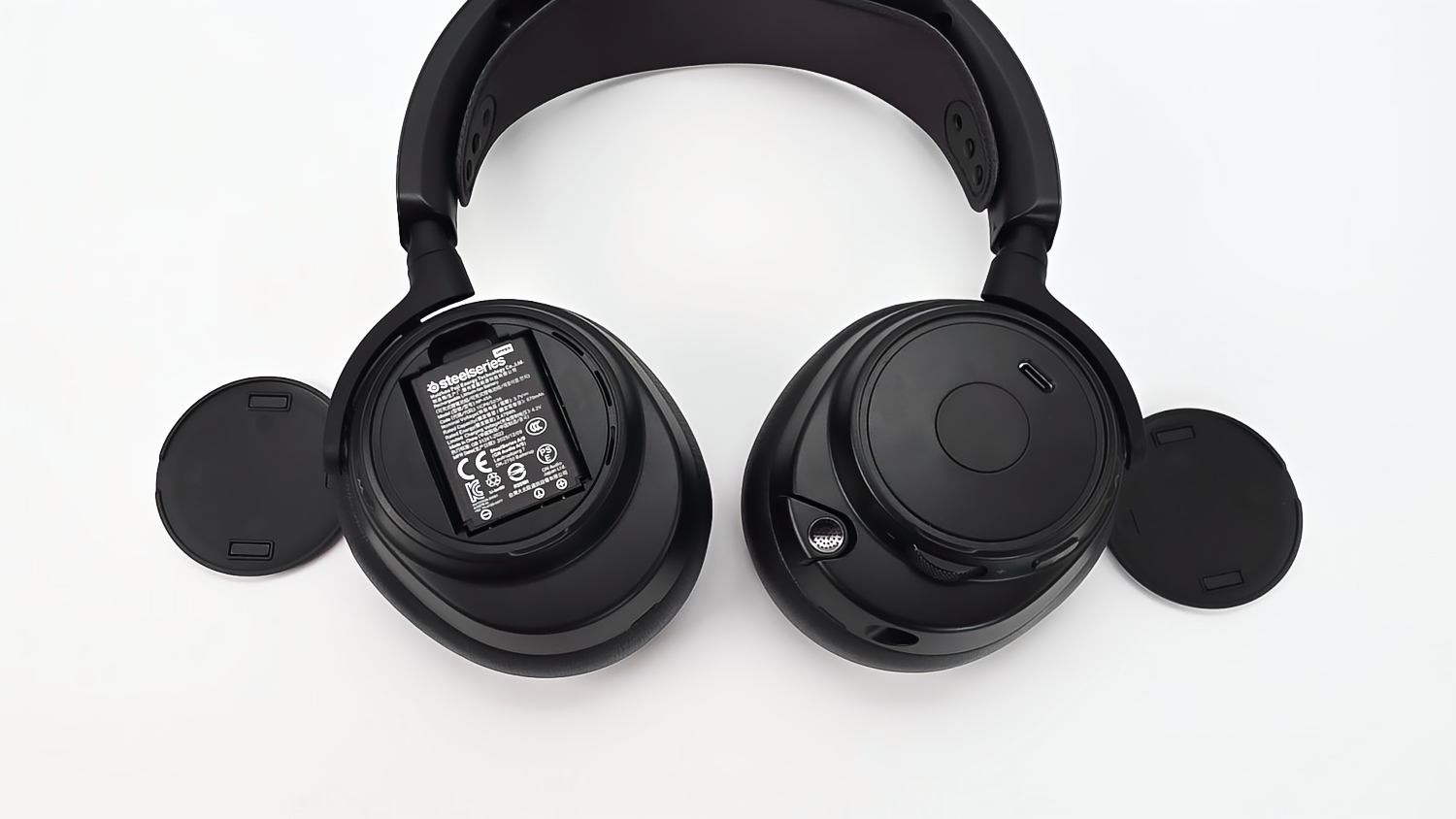
These outside cup covers are removable, so all you have to do is put your finger in there and pop them off. It’s magnetic, as you can see. Underneath the speaker plate is a USB-C port for charging only, so that you are not limited to using only the GameHub for battery charging or firmware updates.
Just like the Nova Pro Wireless, the Nova Pro Omni uses plastic for its build, with easy-to-reach controls, and the same swappable battery found in other SteelSeries headsets.
Just like other SteelSeries headsets, the Nova Pro Omni has a retractable microphone that is super convenient, smoother, simpler to position to your desired location, and easier to use than older models.
However, at 0.37 lbs (339 g), the SteelSeries Nova Pro Omni is lighter than the Nova Elite and many other premium gaming headsets, and, in my experience, every little bit helps during long gaming sessions.
Comfort
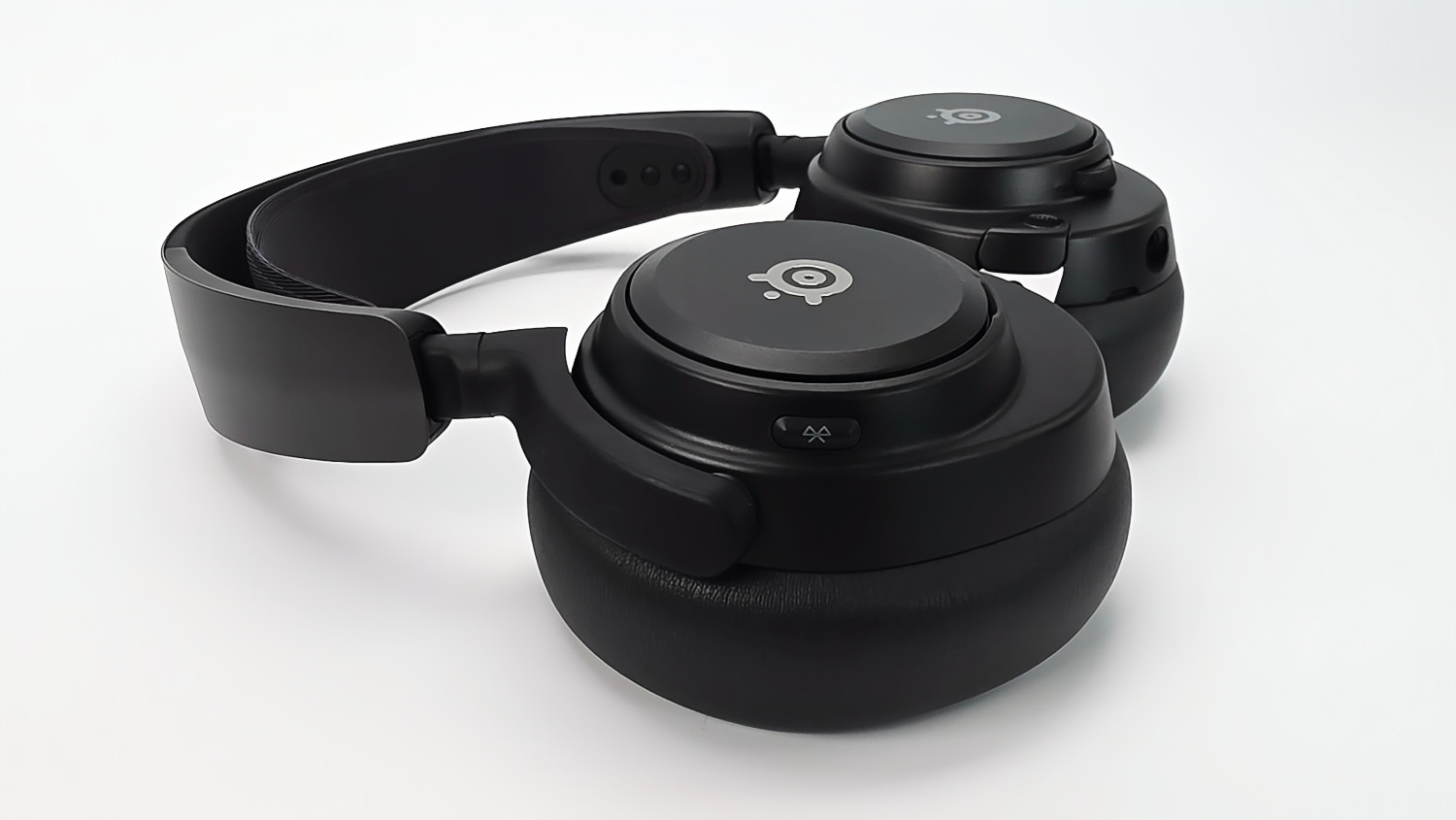
As for the comfort, they are very similar to the Nova lineup. The big improvement here is that the pads are larger. The pads are wrapped in vegan leather and are slightly deeper and plushier than those on the Nova Pro Wireless. They are thicker, and there’s so much more ear clearance.
The headset does feel absolutely incredible when you wear it. These pads are so, so comfortable because they are thicker and very soft. That, the suspension strap, and the lower weight make this headset much easier to wear than other brands.
Also, it uses the same pad-mounting mechanism as the Nova Pro Wireless and the Nova Elite, so you have aftermarket pad options right away if you want to switch to a more breathable one. Note that switching to another pad will reduce active noise cancellation performance to some extent. Maybe not significantly, but it will most likely not be as good as the stock pads. So, weigh out the pros and cons before doing so.
Active noise cancellation and transparency modes
ANC should be on every gaming headset, especially premium headsets like this, and the Nova Pro Omni uses the same 4-mic hybrid ANC system as the Elite. The ANC in this headset does a great job of filtering out noise from fans, PC fans, keyboards, and other ambient sounds that could reduce the overall audio experience.
The cup buttons
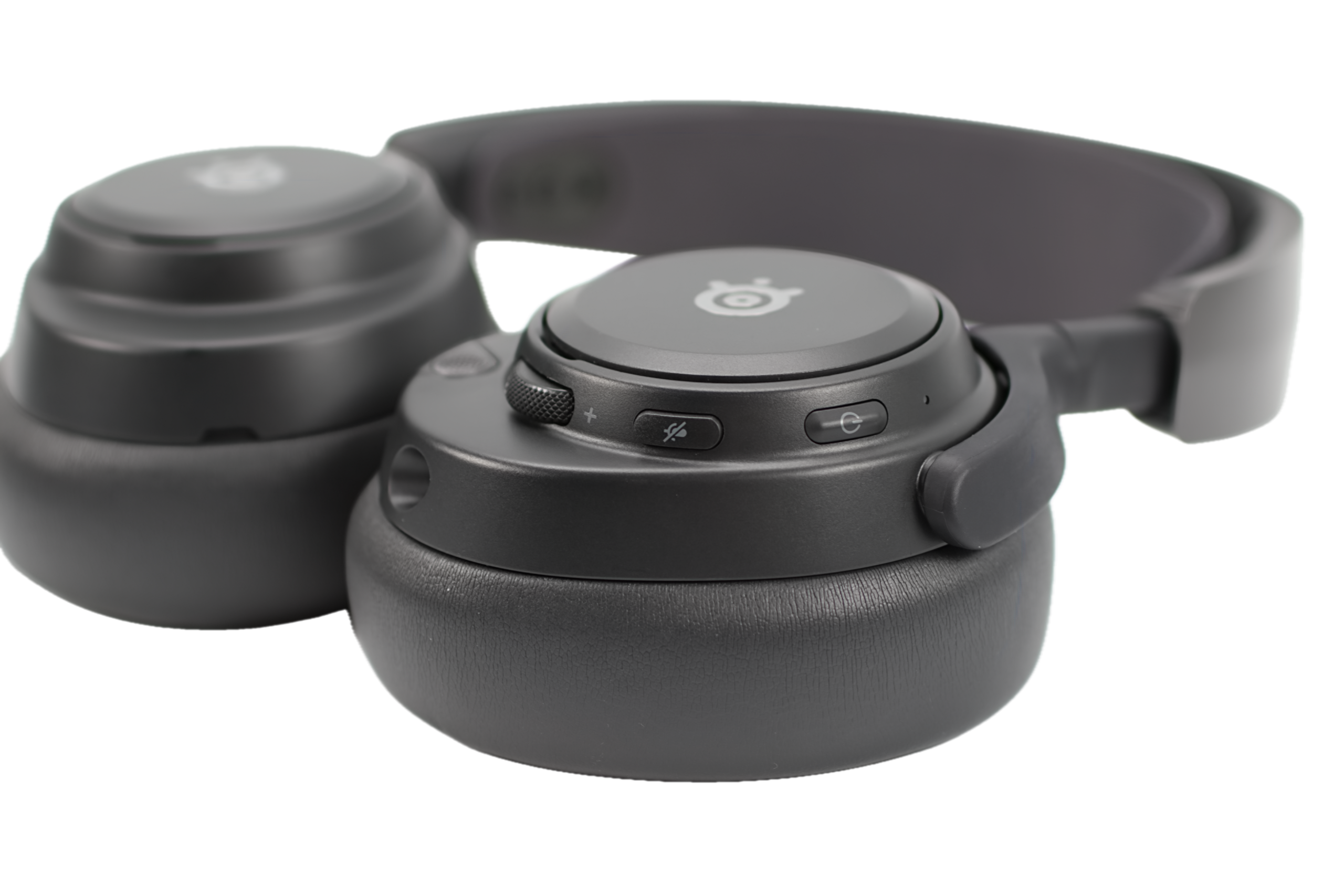
The right ear cup has the Bluetooth button; there are no other buttons on it. And then, on the left side, you have your power button, a 3.5mm aux connection, and the retractable boom microphone and mic mute switch. The mic looks and feels nice, and you’ll see an LED light up when you’re muted, along with a volume wheel.
As far as the battery swap, you basically just pull down, pop it off, put the new battery in, and you’re good to go.
Again, underneath the speaker plate is a USB-C port for charging only, so that you are not limited to using only the GameHub for battery charging and firmware updates.
The Mic
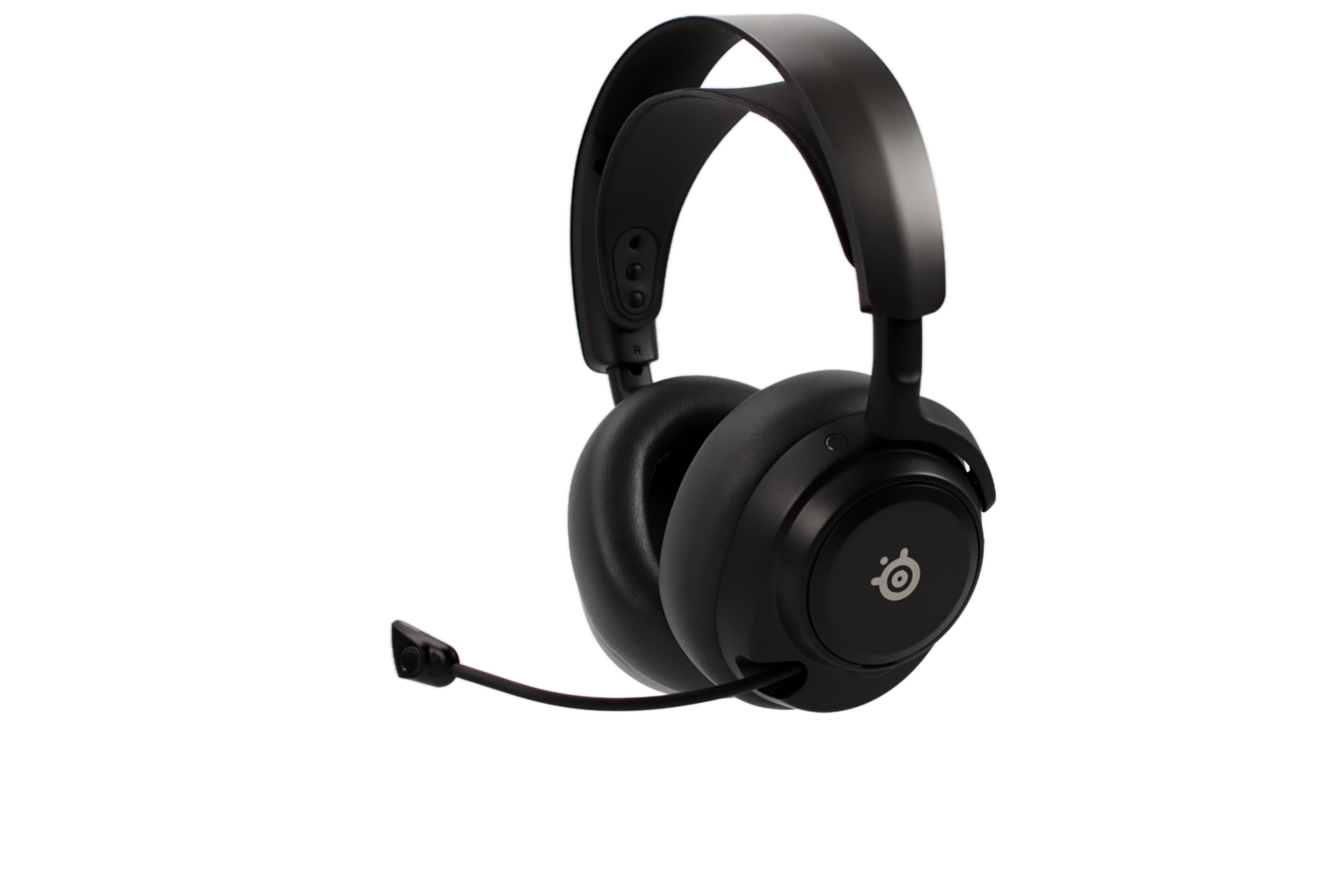
The microphone is actually excellent for a built-in mic. You lose a little clarity depending on the app you use, but it sounds better than the older, less expensive Nova Pro Wireless. Although the retractable mic is awesome, if you plan to use the included foam cover, you will have to put it on, remove it each time, and store it somewhere.
There are four microphones, two on the outside and two on the inside, so that you can accurately gauge what’s going on with your sound and give you the best ANC performance possible.
The important part is that the noise rejection is built into the headset, so it works across PC, console, and mobile without requiring any software, and the level of noise cancellation can be controlled either through SteelSeries GG or the Arctis app.
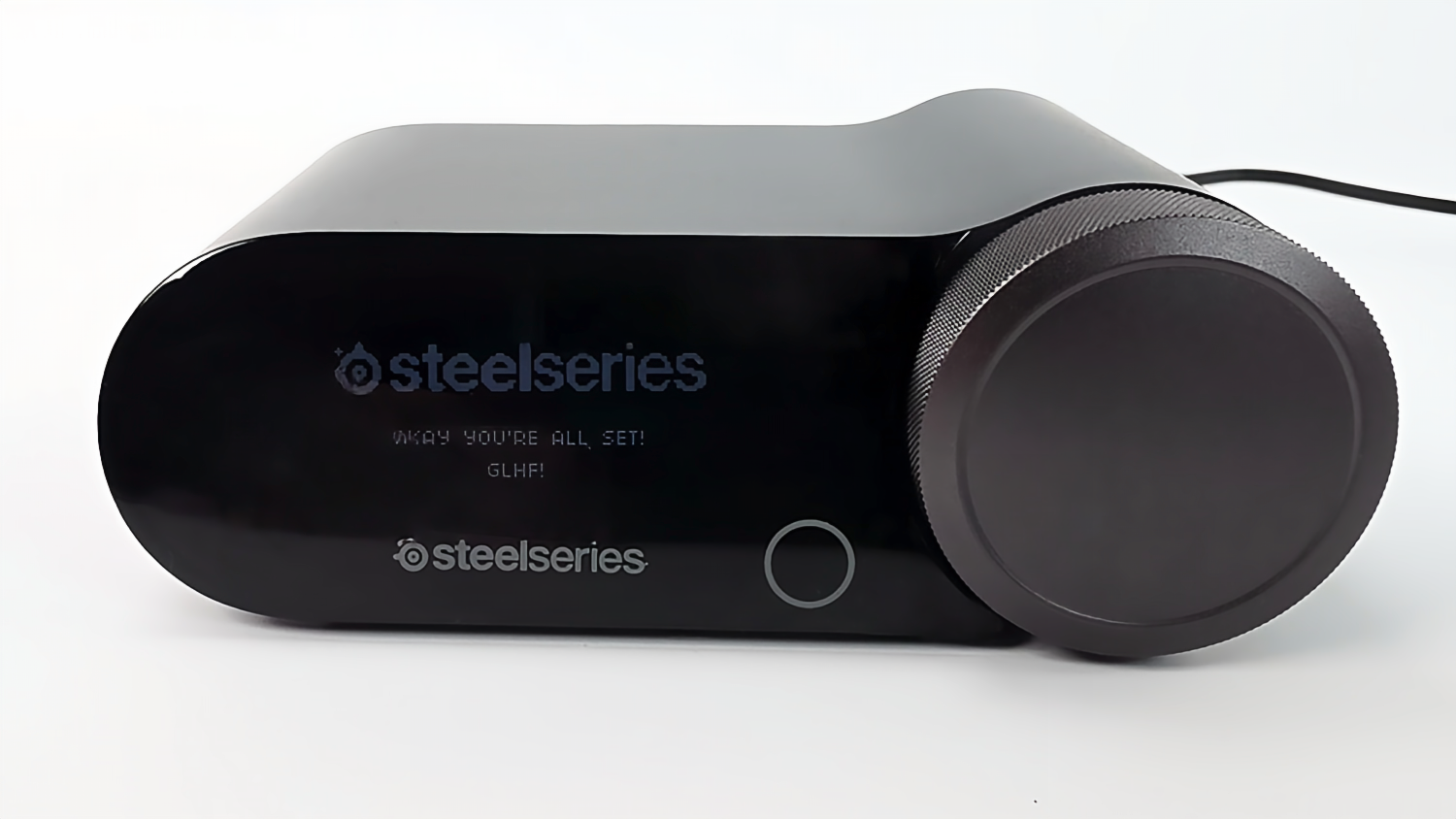
The SteelSeries Arctis Nova Omni GameHub
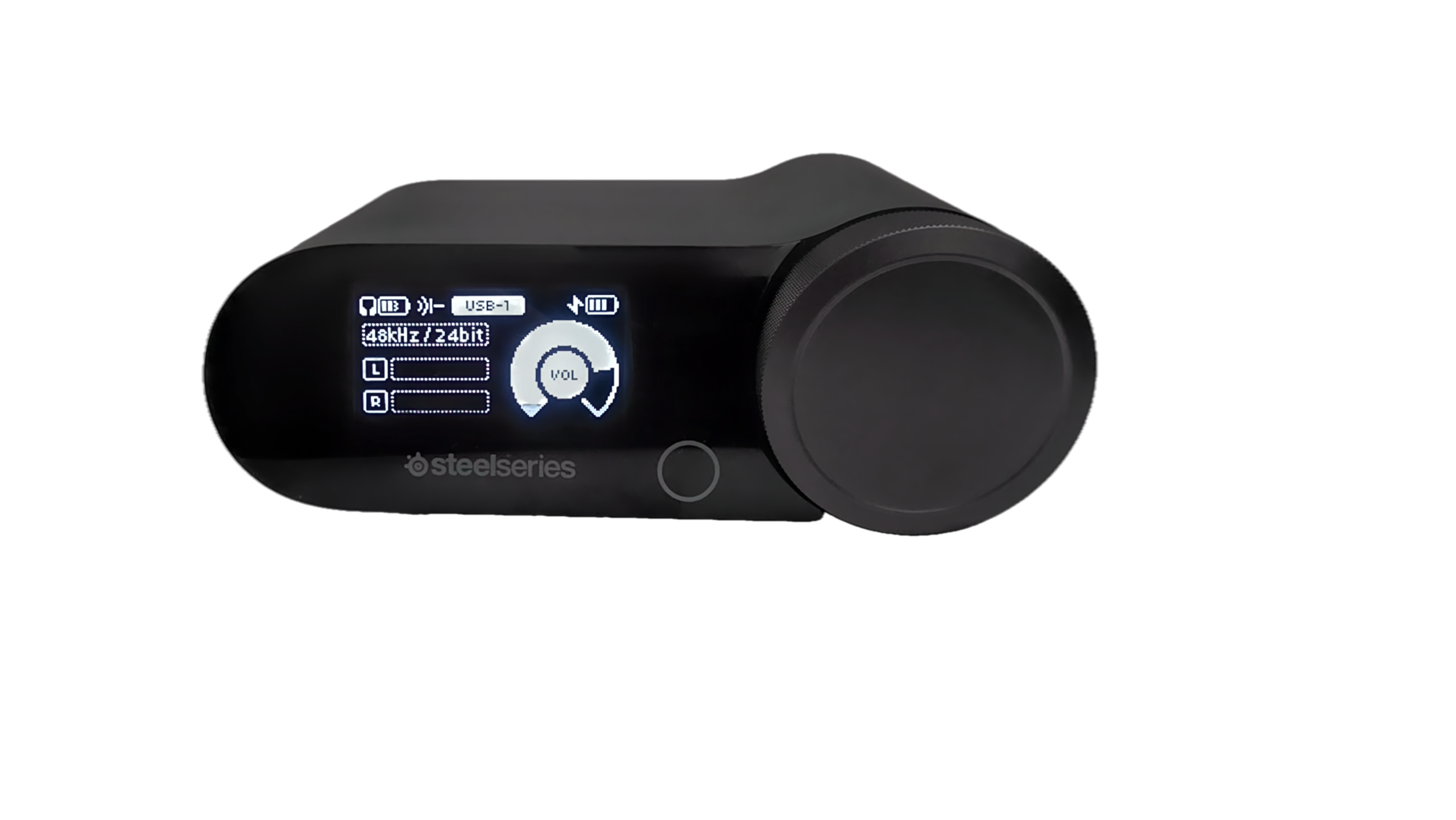
The GameHub is basically the same as what you’ve seen on the Nova Pro Wireless, the Nova Pro Wired, and the Nova Elite. The OLED display and command wheel also make quick adjustments simple. You can control volume, source levels, microphone settings, EQ options, and other features without software every time.
The GameHub has a battery-charging slot built into its side. Just slide it in; as you can see, it fits only one way. Once it’s faced on the correct side, it will slide and click in place. To remove, just push in; it will pop out easily.
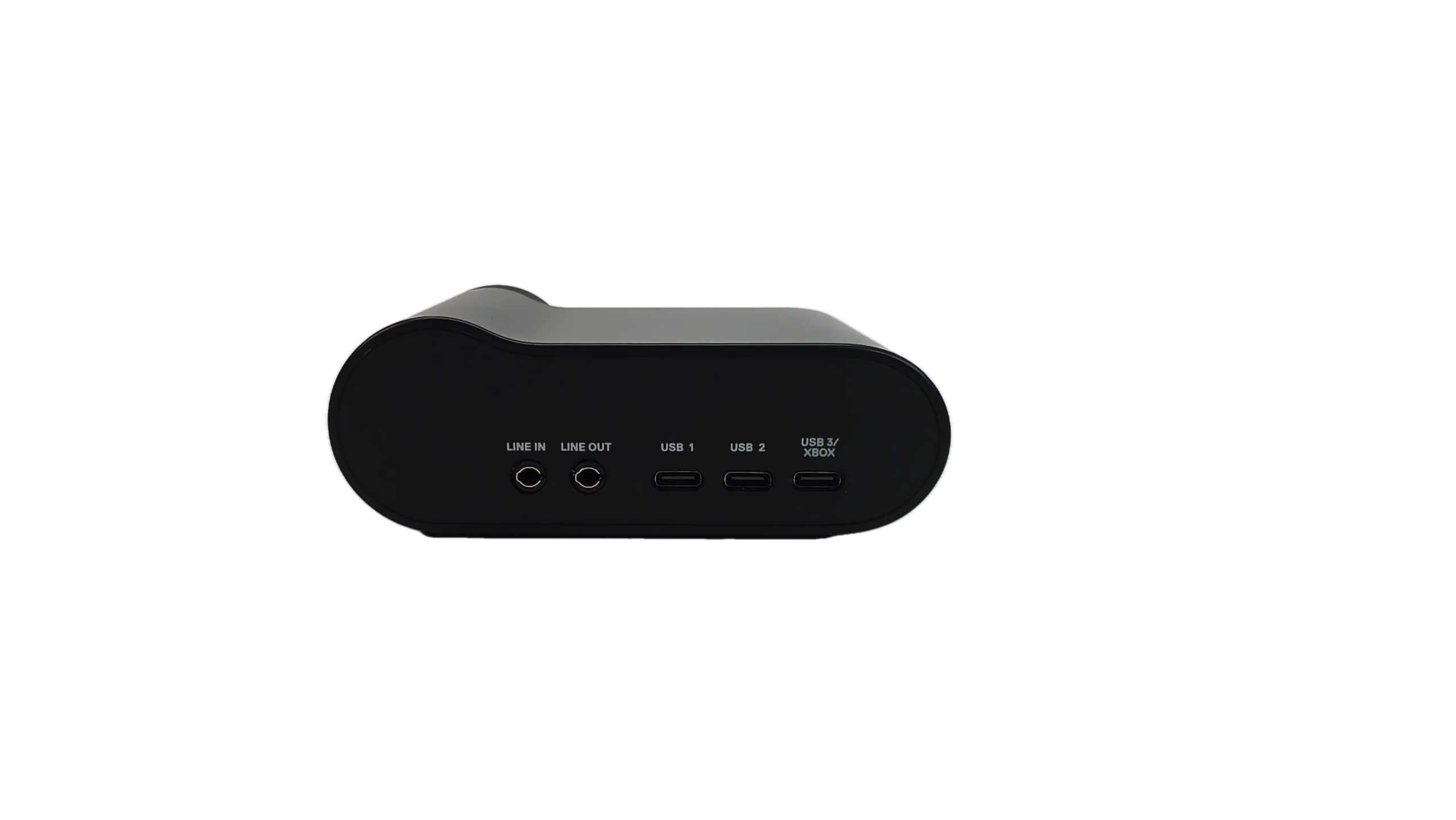
On the back, you will find the line-in, line-out, USB1, USB2, and USB3/XBOX ports, all easily accessible to your devices. You can mix up to 4 audio sources simultaneously (2xUSB + Bluetooth + Line-in). The USB-3 port is also the only port that supports Xbox consoles, but if you’re not connecting it to an Xbox, you can set it to USB mode and use it with another source.
Battery Life
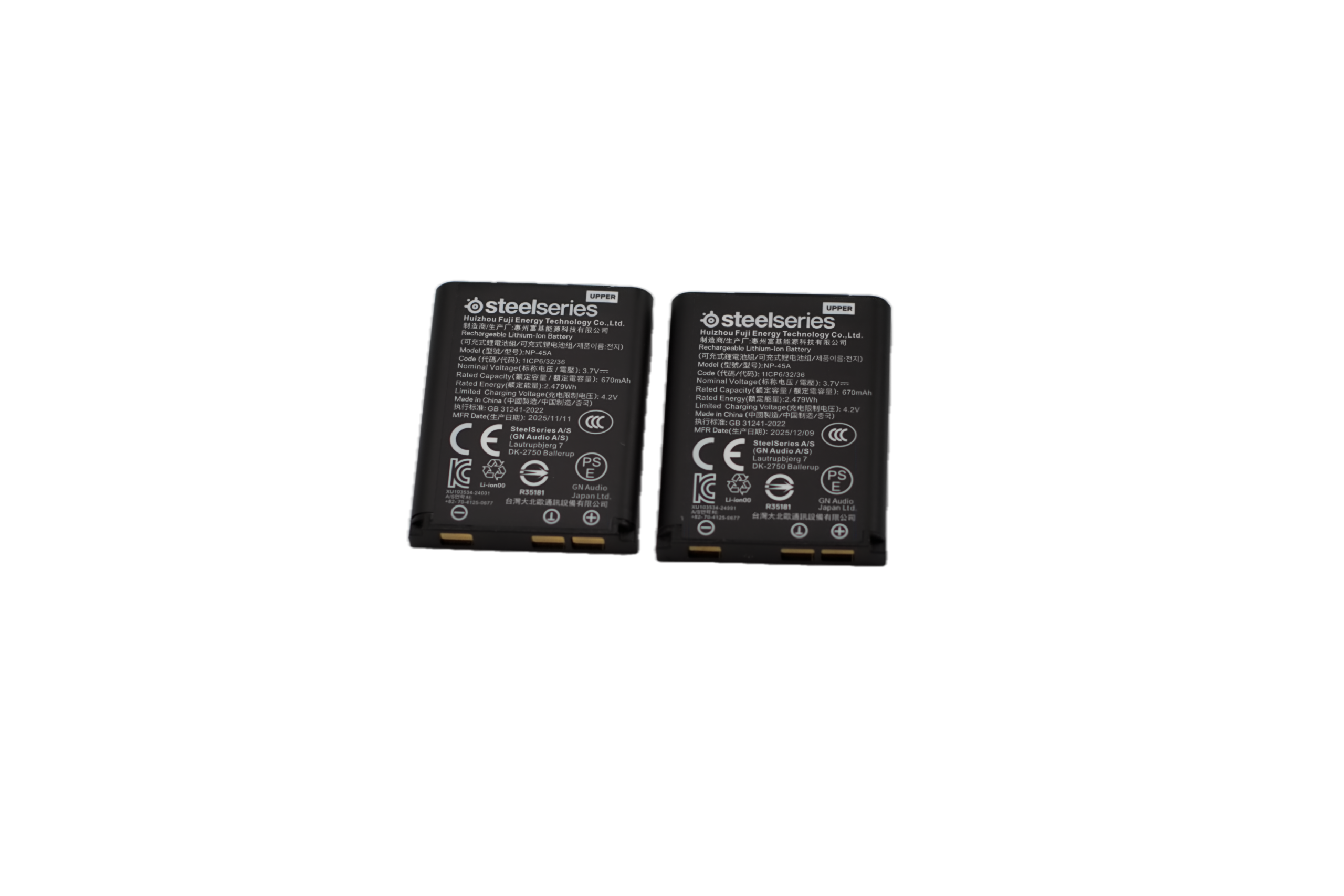
Looking at the side of the deck, you also have an ejectable Lithium-ion battery that uses the hot-swap battery system. The battery life is up to 30 hours per charge with 2.4GHz and Active Noise Cancellation (ANC) off, or 50 hours with Bluetooth and ANC off, or 19 hours with 2.4G+BT and ANC on, and a 15-minute USB-C fast charge for up to 4 hours of play. By the way, it comes with two batteries, and you can easily buy replacements online.
Connectivity
When it comes to connectivity, the Nova Pro Omni is one of the most flexible gaming headsets that I have currently used. You can connect 2.4GHz wireless via the GameHub, Bluetooth 5.3 with Bluetooth LE Audio/LC3+, and a 3.5mm analog connection. Most will be using the 2.4GHz wireless connection; the Nova Pro Omni supports up to 24-bit/96kHz wireless audio.
I also use the GameBuds, and like those, the latency (if any) is excellent over 2.4GHz. I have yet to notice any latency or obvious delays when playing fast-paced games. Every once in a while, I would notice some weird sporadic issues with the GameBuds, but with the Nova Pro Omni headset, so far, nothing.
The range is also excellent. I can travel around most of the house without noticing any audio issues. But of course, this will vary depending on the layout of the area where they are being used.
Final Thoughts
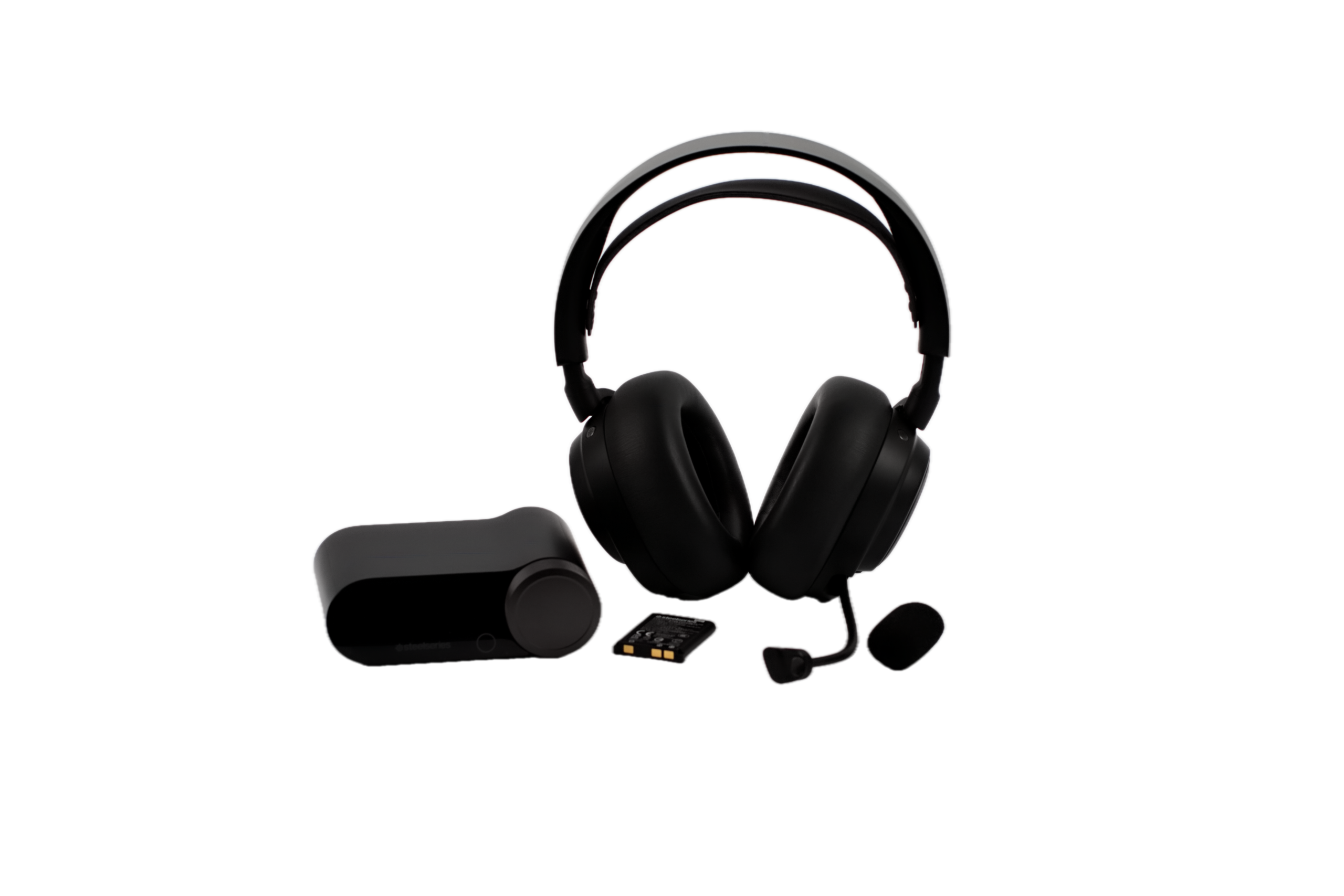
I just touched on all of the important aspects of this headset because this review would be way too long. The Nova Pro Omni brings value to the headset options without compromising quality or performance and is possibly the more practical choice for many gamers. With the GameHub, active noise cancellation, app, and improved microphone, the SteelSeries Nova Pro Omni is a solid choice.
Website: https://steelseries.com/gaming-headsets/arctis-nova-pro-omni
Amazon: https://www.amazon.com/SteelSeries-Arctis-Nova-Pro-Omni/dp/B0GS7PZH2P/
Compatibility, software, key specifications, and what’s in the box
What’s in the box
- The Arctis Nova Pro Omni
- GameHub
- 2 hot swappable batteries with up to 60 hours of gaming (USB-C Fast Charge 15 mins for up to 4 hours play)
- 2 USB-C to USB-A cables (5ft / 1.5m)
- A Microphone pop filter
- Carrying Bag
- The user manual
- Note that the 3.5mm aux cable is not included
Compatibility
- PC (ChatMix via Sonar and Windows 10 and above)
- PS5/PS4 (PlayStation ChatMix control from system, not headset)
- Xbox Series S|X (ChatMix)
- Mac (ChatMix not supported)
- Switch/Switch 2 (USB-C Wireless or BT)
- iPhone (USB-C Wireless or BT)
- Android (USB-C Wireless or BT)
- Tablet (USB-C Wireless or BT)
- Handheld (USB-C Wireless or BT)
- Meta Quest 2/3 (USB-C Wireless or BT *Audio Only)
Software
Arctis Companion App: iPhone (iOS 15.6) & Android (Android 9)
GG + Engine: Windows 8.1 and above, Mac OS 10.13 and above
GG + Sonar Audio Software Suite: Windows 10 and above (required for ChatMix on PC)
Specifications
- Weight – Headphones 339g / 0.74lbs
- Weight – GameHub 169g / 0.37lbs
- Battery Life- 2x hot-swappable batteries with up to 60 hours (Up to 30 hours per battery 2.4GHz ANC off / 50 hours Bluetooth – ANC off / 19H per battery 2.4G+BT ANC on)
- Battery Type – Lithium-ion
- Hi-Res Audio and Hi-Res Audio Wireless certified for 96kHz/24bit audio
- Gaming Wireless – 2.4GHz
- Bluetooth Support – V5.3 + LE Audio (SBC with MultiPoint support for up to 10 saved devices. LC3, LC3+ for LE Audio)
- Simultaneous Audio – OmniPlay – Mix up to 4 sources: USB1 + USB2 (or USB3) + Bluetooth + Line in
- On-Ear Controls – Volume/ChatMix Dial, Source Mix Power/Pairing/Quick-Switch Button, Mute Button, Bluetooth Media Control, Multifunction Wheel for full control over GameHub Remotely

